

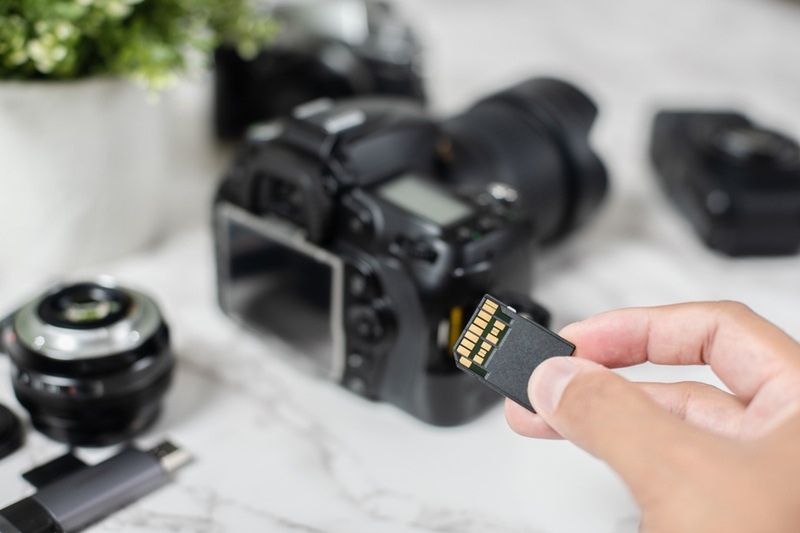
Buying a camera often feels exciting. Buying the right card for it usually feels much less fun. That is partly because the packaging is full of symbols, speed labels, numbers, and abbreviations that seem more technical than they need to be. A lot of photographers, especially beginners, end up choosing whatever looks affordable or whatever a store employee points at first. Sometimes that works out. Sometimes it becomes the reason a camera slows down, stops recording video properly, or fills up at the worst possible moment.
That is why understanding memory cards matters more than people think. A good card does not just hold files. It affects how smoothly the camera performs, how safely images are stored, and how confidently a photographer can shoot without second-guessing the gear every few minutes. It also saves frustration later, which honestly counts for a lot.
The good news is that choosing the right card does not have to feel overly technical. Once a person understands a few basics such as speed, size, format, and reliability, the decision gets much easier. The goal is not to buy the most expensive option on the shelf. The goal is to buy the one that actually suits the camera and the way it is used.
People often focus on storage size first because it feels familiar. Bigger sounds better. More gigabytes sounds safer. But capacity is only part of the story. The speed of the card matters just as much, and in some situations it matters more.
This is where storage cards become less about raw space and more about performance. A camera shooting in RAW, especially during bursts, creates large files quickly. Video does the same. If the card cannot write data fast enough, the buffer fills, the camera slows down, and the whole shooting experience becomes frustrating.
That does not mean everyone needs the fastest card available. It means the card should match the workload. For many casual users, moderate speeds are completely fine. For action, wildlife, or serious video, higher speed matters a lot more.
A smart balance usually looks like this:
That balance is often far more useful than simply buying the biggest card available and hoping for the best.
Not all cards are built for the same kind of camera work. A person shooting casual travel photos has different needs from someone shooting long bursts of sports images or recording high-resolution video. That is why card choice should start with usage, not price alone.
Some cameras work best with standard SD cards. Others support CFexpress, microSD, or other formats. Many people still connect SD card photography with all camera storage, and in plenty of cases that is still true. But modern cameras vary, and using the wrong type or a card that is too slow can limit performance right away.
A useful starting point is to check:
That small amount of homework makes everything else simpler. A card should fit the actual camera and the actual style of shooting, not just look impressive in the package.
Card packaging loves numbers, and that is where confusion begins. Read speeds, write speeds, speed classes, UHS ratings, and video speed classes can all appear on the same label. The problem is that many buyers do not know which number actually matters for camera use.
In most photography situations, write speed deserves the closest attention. That is what affects how quickly the camera can save images to the card. For bursts and video, that number matters far more than the flashy maximum read speed used for marketing.
This is especially true when looking at camera storage for modern cameras that produce large files. A card may look fast on the front of the box but still underperform for the kind of shooting a person actually does.
A few labels worth learning are:
A person does not need to memorize everything. It just helps to know that the biggest number on the package is not always the most useful one.
A lot of photographers buy giant cards because they are scared of running out of space. That makes sense emotionally, but it is not always the smartest move. Extremely large cards can be convenient, but they also put more files in one place. If something goes wrong, a lot of work can be affected at once.
That is why good data storage habits are about more than buying one enormous card. For many photographers, several mid-sized cards are a better choice than relying on one massive one. It creates flexibility and lowers risk during travel, events, or paid work.
Some people prefer:
There is no single correct answer here. What matters is choosing a size that feels practical instead of purely comforting. A card should support the work, not just calm a vague fear of running out.
Not every photographer truly needs top-tier speed. A person shooting landscapes slowly on a tripod will usually have different needs from someone tracking birds or filming long 4K clips. That difference matters because speed can raise the price quickly.
This is where fast memory cards earn their place. They are most useful when the camera is producing data rapidly and needs to clear that data without delay. Burst shooting, advanced codecs, high bit-rate video, and large RAW files all make better use of those faster speeds.
Faster cards are especially helpful for:
For lighter everyday shooting, the practical difference may not be dramatic. The card still needs to be reliable, of course, but not every setup needs premium speed just because the option exists.
It is tempting to save a little money on cards because they seem like a basic accessory. That can be a mistake. A memory card is not just a piece of plastic. It is where the work lives until it is backed up somewhere else. That makes reliability worth taking seriously.
When choosing memory cards, it helps to buy from trusted brands and trustworthy sellers. Fake cards and questionable third-party listings are still a problem, especially online. A suspiciously cheap deal can end up costing far more if files are corrupted or the card fails early.
A few smart buying habits include:
That last point matters more than many people think. Cards do not last forever, especially when used heavily and handled often.
Good cards help, but good habits help too. A photographer who tosses full and empty cards together in one pocket is creating avoidable problems. Organization matters because it keeps work safer and the workflow smoother.
This is where camera storage becomes part of the routine instead of just a technical detail. A simple system can prevent accidental formatting, lost cards, or confusion during important shoots.
Helpful habits include:
These are small habits, but they create a calmer workflow. The photographer spends less time second-guessing and more time shooting.
It is easy to get pulled toward whatever is newest or most heavily advertised, but trends do not always matter in real use. A card that is perfect for a cinema camera may be wasted in a simple travel setup. On the other hand, buying the cheapest option for demanding video work can create immediate problems.
That is why storage cards should be chosen based on actual need. The right card for the job is the one that gives the camera enough speed, enough space, and enough dependability without turning the purchase into an overcomplicated decision.
This also applies to SD card photography setups, which are still extremely common. Many photographers can do excellent work for years with good-quality SD cards that simply match their camera well. Newer and faster is not automatically better if the camera cannot fully use it.
The choice of card does not only affect the moment of shooting. It also affects how the files move afterward. Offloading, backing up, and managing thousands of images becomes easier when the photographer has a system that makes sense.
That is where data storage becomes a wider conversation. The card is only the first stop. After that, the files should move into a safer backup plan, whether that means hard drives, cloud storage, or both. Cards are not long-term archives. They are part of the capture process.
Once a photographer sees it that way, the whole workflow gets clearer. The card needs to be dependable, but it also needs to fit into a larger habit of safe file handling.
A good card does not need to be flashy. It needs to work. That may sound obvious, but it is the easiest thing to forget when shopping becomes too focused on numbers and packaging.
The strongest buying decision usually comes down to a few simple questions. Does the card fit the camera? Is it fast enough for the way the camera is used? Is the capacity realistic? Is the seller trustworthy? If the answer to those is yes, the photographer is probably already close to the right choice.
In the end, fast memory cards have their place, larger capacities have their place, and premium options have their place too. But the best card is usually the one that suits the real work being done, protects the files properly, and keeps the camera running smoothly without unnecessary stress.
That depends on the kind of work being done and how much risk a person is comfortable with. One larger card can be convenient because it reduces card changes during a shoot, especially for video or long travel days. Several smaller cards can be safer because they spread the files out and reduce the impact if one card fails or gets misplaced. Many photographers prefer a middle ground, using medium-capacity cards that feel practical without putting everything in one place.
There is no perfect calendar rule, but cards should not be treated as permanent. Heavy use, repeated formatting, rough handling, and age can all wear them down over time. If a card starts behaving strangely, writes more slowly than usual, or shows errors, it should be retired quickly. Even without obvious issues, photographers who rely on their gear regularly often replace older cards before they become a problem rather than waiting for visible failure.
A slower card will usually slow the camera down rather than damage it, but that slowdown can still create real problems. Burst shooting may stop sooner, video recording may fail at higher settings, and the camera buffer may take longer to clear. In some cases, the card may simply be incompatible with the demands of a certain recording mode. The issue is usually performance and reliability, not physical harm, but that still matters a great deal when the moment cannot be repeated.
This content was created by AI