

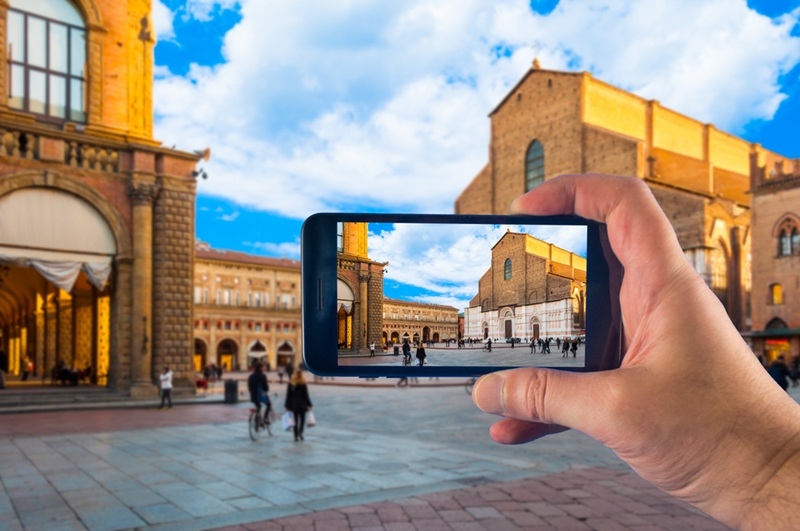
Smartphones really have changed the way we save memories. You don’t need a fancy camera to snap beautiful photos anymore. With a bit of know-how, your phone alone can pull off shots that look surprisingly professional.
This guide keeps things practical and simple. You’ll get straightforward tips you can actually use. From playing with light to using hidden camera features, every idea here helps you make the most out of your phone’s camera.
Whether you’re into documenting your travels, sharing food pics, or taking portraits of your friends, learning a handful of easy tips makes a big difference.
Before you dive into any tips or tricks, start with the basics: figure out what your phone’s camera can actually do. Every smartphone is a little different—maybe yours has a fancy night mode, gridlines, or a portrait setting.
Don’t just stick to default modes. Poke around the settings. Try things out, see what changes. Maybe experiment with HDR, snap a few shots in different lighting, and mess around with manual exposure. It’s easy to skip this step, but if you want better photos, you have to understand your tools first.
Little things, like tapping to focus or dialing in the exposure by sliding your finger, make a clear difference. The better you know your camera, the more control you have, and the better your pictures will turn out.
Natural light usually works best if you can, shoot early in the morning or just before sunset when the sunlight is soft and golden. Midday sun? Try to avoid it—those strong shadows aren’t always flattering. And unless you’re after a specific effect, face the light rather than shoot into it.
Move around your subject, see how the light falls, and don’t be afraid to change your angle until it looks right. Honestly, you rarely need extra gear for great lighting. Small changes, like just shifting your position or waiting for a cloud, can lift your photos.
Later, you can always tweak things like brightness or contrast with a few taps in an editing app, but start with good lighting for better results.
Good composition turns an ordinary photo into something special. The rule of thirds is a classic trick that always helps.
Turn on the gridlines in your camera’s settings. That way, your screen splits into a little tic-tac-toe board. Now, instead of putting your subject dead center, line it up along one of those lines or where the lines cross.
This trick makes your photos feel balanced and interesting. Pros use it all the time. It gives your pictures a bit more life and keeps them from feeling too stiff or crowded.
This one’s so simple, but people skip it all the time: clean your lens. Smudges, fingerprints, or a bit of pocket lint are enough to ruin an otherwise great photo. Just wipe the lens with a soft cloth—heck, even your shirt works in a pinch. Clean glass means sharp, clear photos.
So many people forget, but honestly, even the best camera tricks won’t help if your lens is dirty. Take a second to check before you start snapping. It’s an easy win that saves you trouble later and keeps your photos looking crisp right from the start.
When you use Zoom, the picture does not look as good. So, when zooming in, try to get closer to what you’re photographing.
This is something that people who take pictures with their smartphones should always remember. When you get closer to your subject, you can see all the details. It looks sharp. You can also see the textures and expressions on people’s faces clearly.
This is one of the things that makes a difference when you take pictures with your phone. It is a trick that people who take pictures for a living use all the time.
Try taking pictures from angles like from high above or low down. This makes your pictures more interesting and fun to look at. One of the fun things about taking pictures with your phone is trying out different angles and perspectives. This helps you take interesting pictures.
After you take the picture, you can use a program to make it look better. This can help make the picture look more professional.
The portrait mode on your phone is really useful for taking pictures of people or things. It helps blur the background and makes the subject stand out. You can use this mode to take pictures of anyone or anything. Just make sure that the subject is not too close to the background.
Learning how to use the portrait mode is one of the most important things to know when taking pictures with your phone. This helps you take pictures that look like they were taken with a camera.
After you take the picture, you can use a program to make it look better. You can make the background more blurry. Adjust the lighting to make the picture look perfect.
Always check what is behind your subject before you take the picture. Try to find a simple background that will not distract from the subject. This is something that people often forget to do when taking pictures with their phone. It is really important because it can make a big difference in how the picture looks.
If you need to, you can use a program to crop. Adjust the background after you take the picture. This can help make the picture look better.
Editing your pictures is a part of taking pictures with your phone. You should not overdo it. There are programs that can help you edit your pictures. Fixing how bright or dark a photo looks might be easier with these tools. Some change the light levels slightly, others tweak how sharp the colors appear. A different feel comes through when contrast shifts just right.
Start by letting the image stay close to how it first appeared. Small tweaks work better when they blend quietly into the scene.
Most of what you require fits in your pocket. Knowing your way around a smartphone matters more than gadgets ever could.
Slowly, your photos start to improve. Through practice, images begin reflecting your own vision. What matters most shows up when you learn to work with what you have. A photo lives by choices, not gadgets.
There are several ways you can enhance your smartphone photography skills. For example, try using natural daylight, ensure that your lens is clean, and learn some compositional techniques such as the rule of thirds. These simple mobile photography tips and basic phone camera tricks will really help you to improve your smartphone shots quite a lot, without even requiring extra equipment.
Beginner photographers may find apps such as Snapseed, Lightroom, and VSCO very helpful. These applications provide you with simple sliders and tools for adjusting brightness, contrast, and colors. Editing your phone photos with any of these apps will result in improved pictures while keeping the images looking natural and professional.
The majority of such instances could be traced back to shaky hands, low light, or dirty lenses. In such cases, make sure you hold your phone firmly, provide sufficient lighting, and clean your lens regularly. These are great tips for mobile photography that really come in handy when you want to take sharp and clear smartphone shots with minimum effort.
Portrait mode is most suitable for situations where the subject is a person or an object, and one wishes to have the background blurred. This feature is actually not a good fit for landscapes at all. Along with proper usage, this function is definitely an additional tool in the smartphone photography toolbox that will ensure you get better smartphone shots and more balanced phone photos.
This content was created by AI